2011年3月21日 星期一

使用 Automake 的 silent-rules 來簡化編譯過程的輸出訊息

使用前
ubuntu@maverick:~/hello$ make
make  all-am
make[1]: Entering directory `/home/ubuntu/hello'
gcc -DHAVE_CONFIG_H -I.     -g -O2 -MT hello.o -MD -MP -MF .deps/hello.Tpo -c -o hello.o hello.c
mv -f .deps/hello.Tpo .deps/hello.Po
gcc  -g -O2   -o hello hello.o  
make[1]: Leaving directory `/home/ubuntu/hello'
使用後
ubuntu@maverick:~/hello$ make
make  all-am
make[1]: Entering directory `/home/ubuntu/hello'
  CC     hello.o
  CCLD   hello
make[1]: Leaving directory `/home/ubuntu/hello'
使用方法,修改 configure.ac 加入 silent-rules
...
AM_INIT_AUTOMAKE([silent-rules])
...
然後在編譯前的設定執行
./configure --enable-silent-rules
或是預設打開 silent-rules
...
AM_INIT_AUTOMAKE
AM_SILENT_RULES([yes])
...
P.S. 此時可以省略掉 AM_INIT_AUTOMAKE 裡面的 silent-rules 選項
參考資料 http://www.gnu.org/software/hello/manual/automake/Options.html

2011年3月18日 星期五

Debian local archives 本地端 deb 檔案庫

有時候會需要將某些特別的 Debian 套件以及其相依的 Debian 套件透過網路先行下載回來
等到之後沒有網路的狀態下再依需求來安裝那些 Debian 套件

平常在使用 apt-get/aptitude/... 來安裝 Debian 套件時
系統預設會將那些套件檔案下載放到 /var/cache/apt/archives/ 底下再來安裝
但是也可以只下載但是不安裝,像是
# apt-get install -d eclipse
就可以將安裝 eclipse 所需要的套件先下載回來

然候可以用下面的指令製作一個 local archive
# mkdir -p /some/where/out/there
# mv /var/cache/apt/archives/*.deb /some/where/out/there
# cd /some/where/out/there
# apt-ftparchive packages . | gzip -n9 > Packages.gz

如果要使用這個 local archive 就可以將 /etc/apt/sources.list 改成
(其它來源先註解起來或是更改原本的檔案名稱)
deb file:///some/where/out/there /

然後之後等到沒有網路的時候,就可以用 apt-get update && apt-get install eclipse 來安裝了。

又或者在有區域網路的情況下,使用下面的指令分享給區域網路內的其它人使用
$ cd /some/where/out/there
$ python -m SimpleHTTPServer

只不過 /etc/apt/sources.list 的內容應該要換成類似下面這樣的內容
deb http://192.168.1.1:8000 /

2011年2月11日 星期五

$4 的 Debian 6.0 自動化安裝

製作可開機安裝 Debian 6.0 的 USB Stick

首先去下載 debian-6.0.9-i386-businesscard.iso (46M) 回來
然後再準備一個 USB Stick 接上電腦,如果 mount 在 Linux 系統上的話記得先 umount 掉
以 root 權限執行 (這裡假設 USB Stick 的 Device Node 位於 /dev/sdc)
# cat debian-6.0.9-i386-businesscard.iso > /dev/sdc
這樣就可以製作出可開機安裝 Debian 6.0 的 USB Stick 沒錯就是這樣製作的
這是 Debian 6.0 以後的新功能 hybrid CD/DVD image 不過只有在 i386/amd64 上面有作用

準備好要安裝的電腦跟可以透過有線網路 DHCP 上網的網路環境

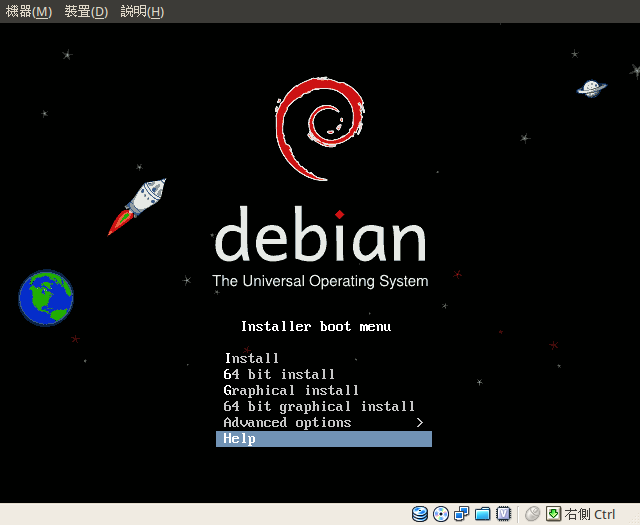
現在這隻 USB Stick 可以接上任何可以使用 USB Stick 開機的電腦上開機就會看到:
Select Help

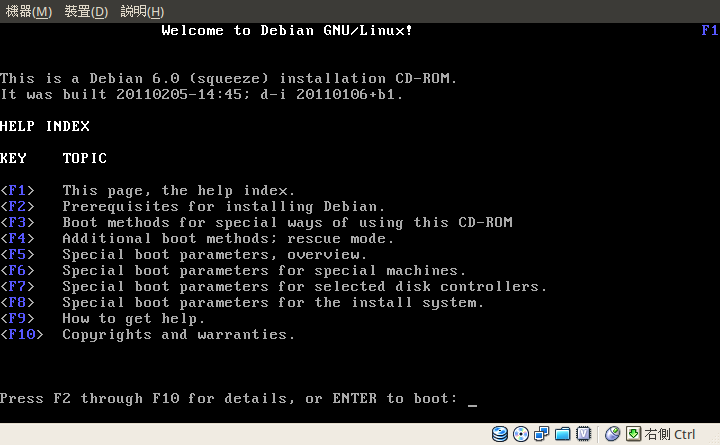
進去之後
Inside Help

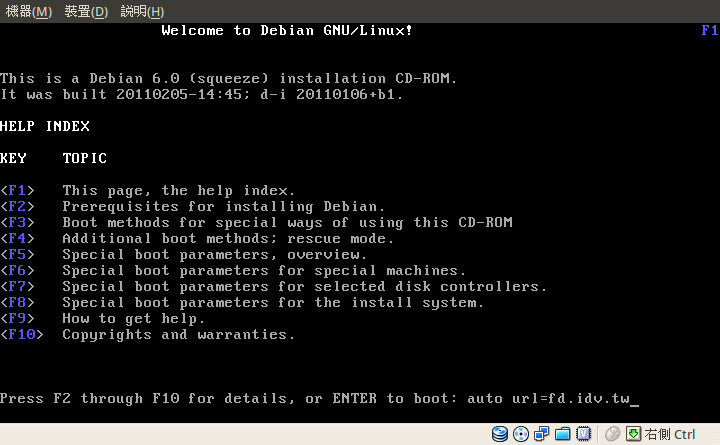
輸入
auto url=fd.idv.tw
auto url=fd.idv.tw

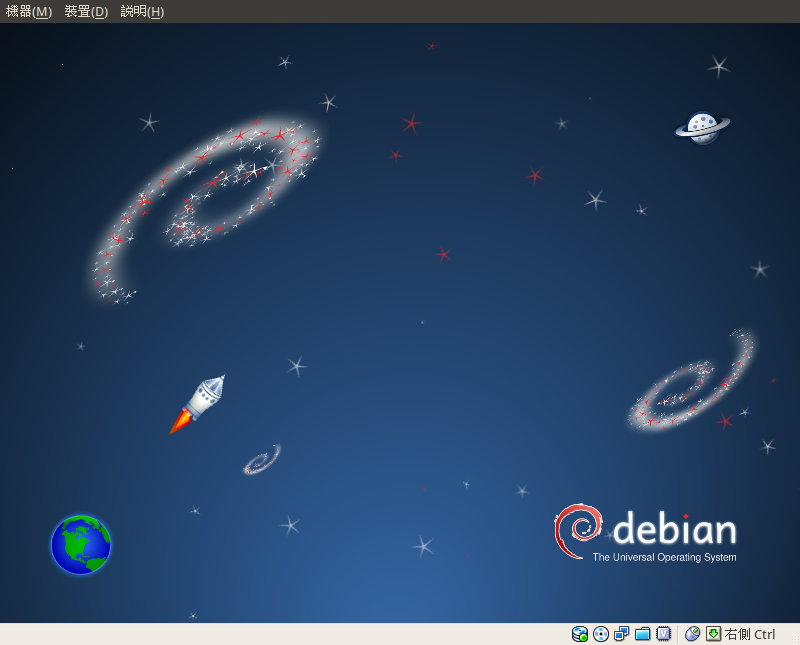
然後就是等 Debian 6.0 自動安裝完就會自動關機,這樣就把 Debian 6.0 安裝好了。

接下來是開機展示

GRUB 的畫面 GRUB

開機動畫 plymouth

進入 GDM 了 GDM

輸入預設的密碼
debian
Login

進入安裝好的 GNOME 桌面環境 GNOME"/

關機時也會有關機動畫 poweroff

這個環境是按照 $4 個人的喜好所打造的,所以不一定會符合所有人的使用習慣,
像是 $4 喜歡使用酷音裡面的單純注音模式,不喜歡有 3D 桌面效果,
中文字型喜歡用 AR PL UMing 字型,英文喜歡使用 Droid 字型,
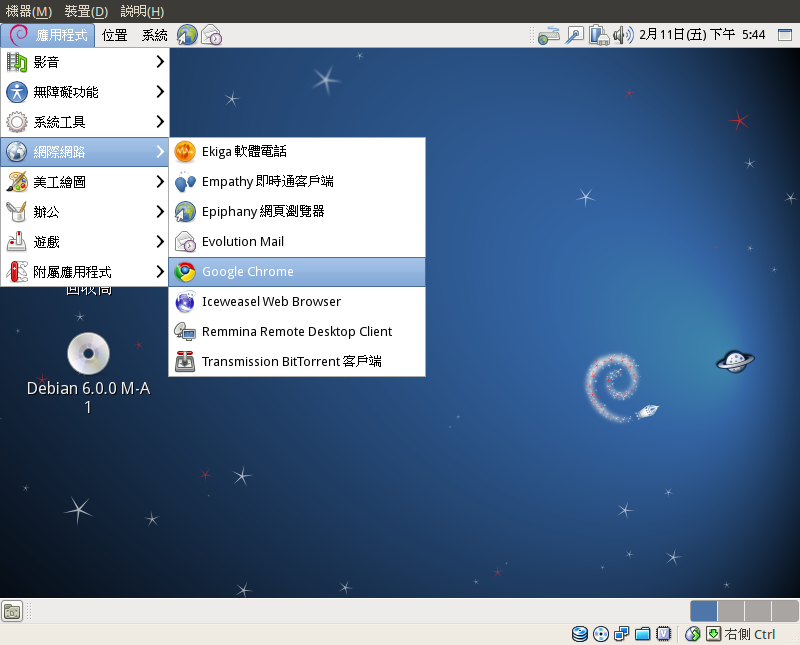
網頁瀏覽器喜歡用 Google Chrome,並且加入了 http://mozilla.debian.net/ 上面的 Iceweasel(Firefox)。

想要打造自己的 Debian 6.0 自動化安裝可以參考官方文件 Appendix B. Automating the installation using preseeding

而 $4 製作的腳本都放在 http://fd.idv.tw/d-i/

另外弄了一個半自動的安裝,讓使用者可以自己決定帳號密碼跟分割磁區。
auto url=http://fd.idv.tw/d-i/squeeze/manual.cfg

2011年2月5日 星期六

Taiwan Radio Tuner v0.9 釋出

Taiwan Radio Tuner 是一個 Google Chrome Extension 的網路廣播選台器
v0.9 Upgrade jQuery to 1.5 and add ending timer.

線上版在 http://fd.idv.tw/radio/ 特色是跨平台 Windows / Mac / Linux
支援主流的網頁瀏灠器 IE / Firefox / Safari / Google Chrome / Opera

2011年1月31日 星期一

Debian Package - 什麼是 Debian Native Package?

要怎麼去辨別一個 Debian 套件是否為一個 Debian native package 呢?

最簡單方法就是判斷有沒有 (5) - 版本號碼 當中提到的 debian_version
[epoch:]upstream_version[-debian_revision]
如果 Debian 套件的版號沒有看到 debian_version 的部份,那麼它就是一個 Debian native package

那麼接下來問題應該是...

怎樣的套件才可以成為一個 Debian native package?

其實就是該套件只為了 Debian 系統而製作的。
在終端機下輸入以下指令
$ dpkg-query -W | awk '{ if ($2 !~ /-/) print $0; }'
就可以看到系統上目前裝了哪些 Debian native package

舉個例子
Package: cdbs
...
Version: 0.4.62+nmu1ubuntu9
...
Description: common build system for Debian packages
 This package contains the Common Debian Build System, an abstract
 build system based on Makefile inheritance which is completely
 extensible and overridable.  In other words, CDBS provides a sane set
 of default rules upon which packages can build; any or all rules may
 be overridden as needed.
...

這個 Debian 套件就是用來製作 Debian 套件的工具之一,所以它只能使用在 Debian 系統上面,像這樣的套件就一定是 Debian native package

相反的,如果你所製作的 Debian 套件並不限於只使用在 Debian 系統上面的話,請不要用 Debian native package 的版號命名規則,也就是不要省略掉 debian_version,如果想要上傳套件至 Debian 官方套件庫裡面,這點一定要注意一下。

另外如果你就是上游的軟體開發者,即使軟體本身在製作時就已經順便做好 Debian 套件的相關工作,也不要在釋出 source code tar ball 裡面包含 debian 這個目錄。

一個好用的 irssi plugin - irssi-libnotify

irssi 是一個在終端機文字模式下面連 IRC 的工具
通常 irssi 的使用方式是搭配 screen 或是 tmux
然後找一台一直開著 BSD/Linux 主機在上面掛著
不過也有的人用久了即使是在本機上面使用也是開 irssi
然後就會開始想著有沒有辦法在別人丟你訊息的時候能夠在桌面上跳出通知
irssi-libnotify 就是這樣的工具
在 GNU/Linux 上面使用要另外搭配 notify-send 這個指令
如果使在 Ubuntu 上面就是直接安裝 libnotify-bin 這個套件

首先把 notify.pl 裝進 .irssi/scripts/ 底下
$ mkdir -p ~/.irssi/scripts/
$ wget http://irssi-libnotify.googlecode.com/svn/trunk/notify.pl -O ~/.irssi/scripts/notify.pl

使用方法是在 irssi 啟動後輸入
/load perl
/script load notify

這樣之後當別人丟訊息的時候就會收到桌面通知了~ :)

P.S. 目前有中文亂碼的問題

2011年1月5日 星期三

BetaRadio v1.2 釋出

功能跟 v1.1 一樣沒有改變,不過程式碼完全使用 Vala 重寫一遍。
原始碼下載:http://betaradio.googlecode.com/files/betaradio-1.2.tar.bz2
編譯方法請參考 http://code.google.com/p/betaradio/wiki/InstallationFromSourceCode

PPA for Ubuntu 9.10/10.04/10.10
$ sudo add-apt-repository ppa:fourdollars/betaradio
$ sudo apt-get update
$ sudo apt-get install betaradio